When to Use Plan Mode in Claude Code (And When to Skip It)
If you fail to plan, don't expect the execution to go so well either. - Ancient 6502 Proverb
When I first started learning Claude Code, I was woefully unaware of its plan mode. Even if it went into plan mode automatically because of the robust requirements and multiple files being touched, I didn't pay too much attention. I just wanted it done.
That was probably a mistake on my part, so i want to walk you through a Claude Code Tutorial on when to use Plan Mode, and when to skip it.
Claude Code has a couple of different modes: Plan Mode, and Execution Mode. When you first start a Claude Code session, you are in execution mode by default. Do you need a script written? Claude Code generates the script. Do you need a question answered? Claude does the research and returns the answer.
But there are times when you want to use Claude Code's Plan Mode, especially if you're working on complex tasks, large-scale changes, architectural decisions, and changes that make multiple file edits where the dependencies aren't always known.
The benefit of Plan Mode is that you get to explore, design, and review the work that'll be done before any line of code is ever written, and that can help prevent timely and costly rework.
And if you have a lot of planning to do on your project and you're the kind of person who is mindful of their context window, Anthropic has added an additional option to Claude Code called the Explore Sub-Agent. This type of subagent runs while keeping its verbose output isolated, which keeps your context from being exhausted while working in multi-phase tasks.
Claude Code's Execution Mode, on the other hand, is for more simple tasks that are well-scoped, such as fixing a defect, or adding a new test to a project, or updating a function. These are the types of tasks well-suited for Execution Mode because you already know what needs to happen.
Let's look at some scenarios to see which mode might be best chosen.
- Your company is wanting to restructure all of its microservices, something that will impact dozens of files.
- If you said Plan Mode, you're right, because this is a change that would impact multiple files.
- You need a Python script to resize photos in a folder.
- Execution Mode, because this is a simple single-file script that doesn't need much in terms of architecture, it's not large in scale, and it wouldn't be particularly complex.
- You're planning to build the next Netflix, but Claude's already forgetting things because your context has been compacted 19 times. Also, you hate so many lines scrolling in your terminal window.
- Plan Mode with Explore Sub-Agent.
Let's create a product using Claude Code where we'll run the same scenario through both Plan Mode then Execution Mode, then again in just Execution Mode and take a look at the results.
Here's the prompt I'll use in both scenarios:
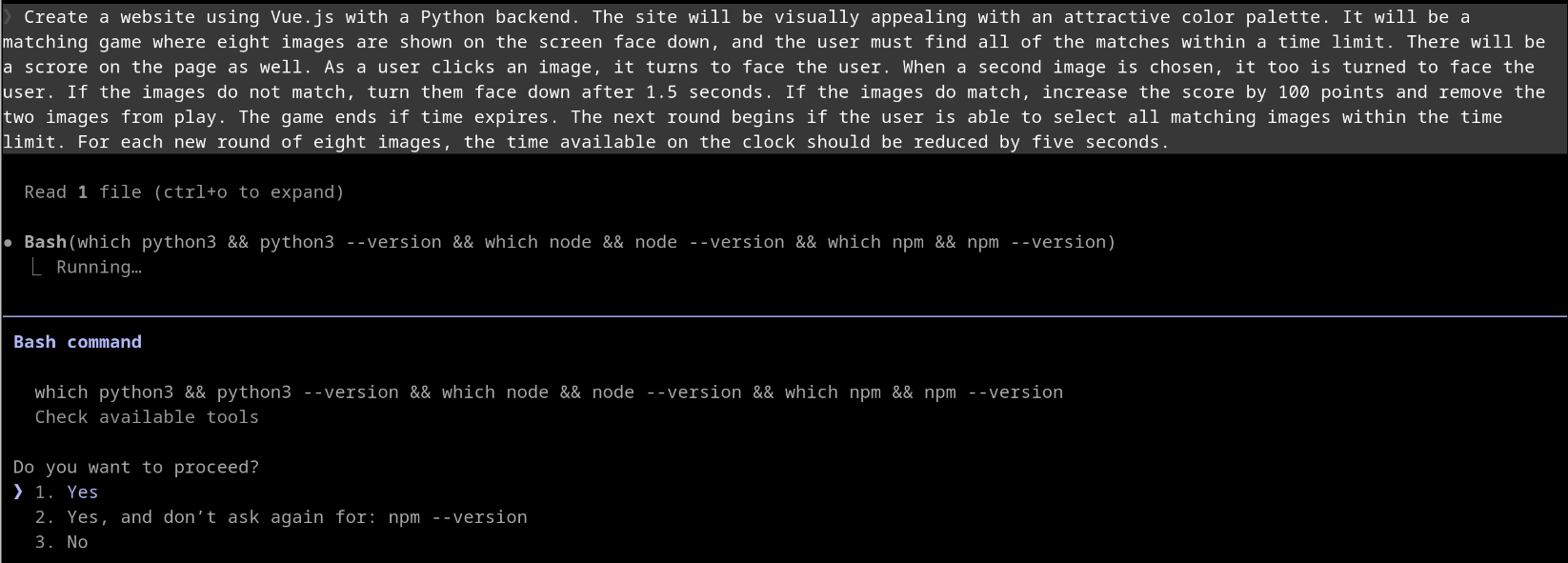
Create a website using Vue.js with a Python backend. The site will be visually appealing with an attractive color palette. It will be a matching game where eight images are shown on the screen face down, and the user must find all of the matches within a time limit. There will be a score on the page as well. As a user clicks an image, it turns to face the user. When a second image is chosen, it too is turned to face the user. If the images do not match, turn them face down after 1.5 seconds. If the images do match, increase the score by 100 points and remove the two images from play. The game ends if time expires. The next round begins if the user is able to select all matching images within the time limit. For each new round of eight images, the time available on the clock should be reduced by five seconds.
Execution Mode
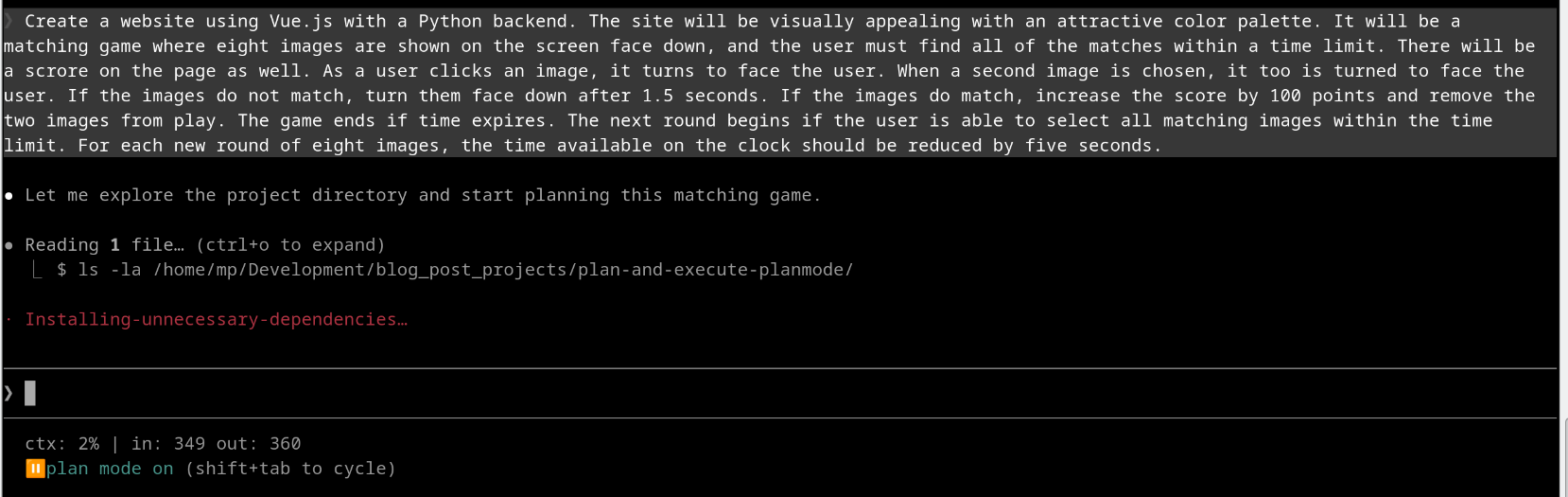
Just entered the prompt
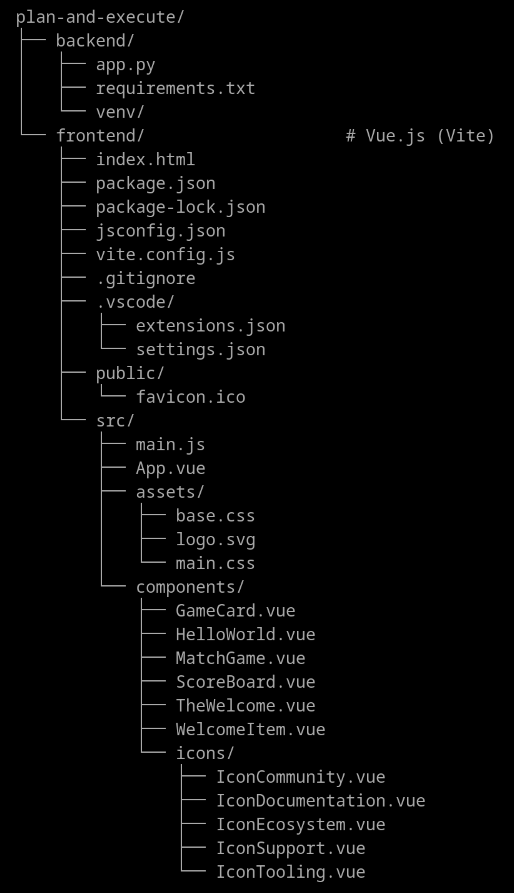
This is the file structure of the completed project. I believe I founded 25 files.
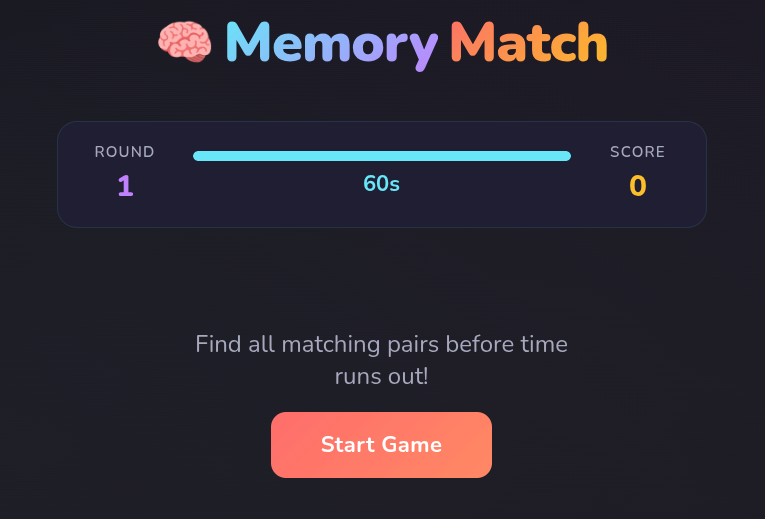
And here's how the game appears in the browser.
Plan Mode
Just entered the prompt
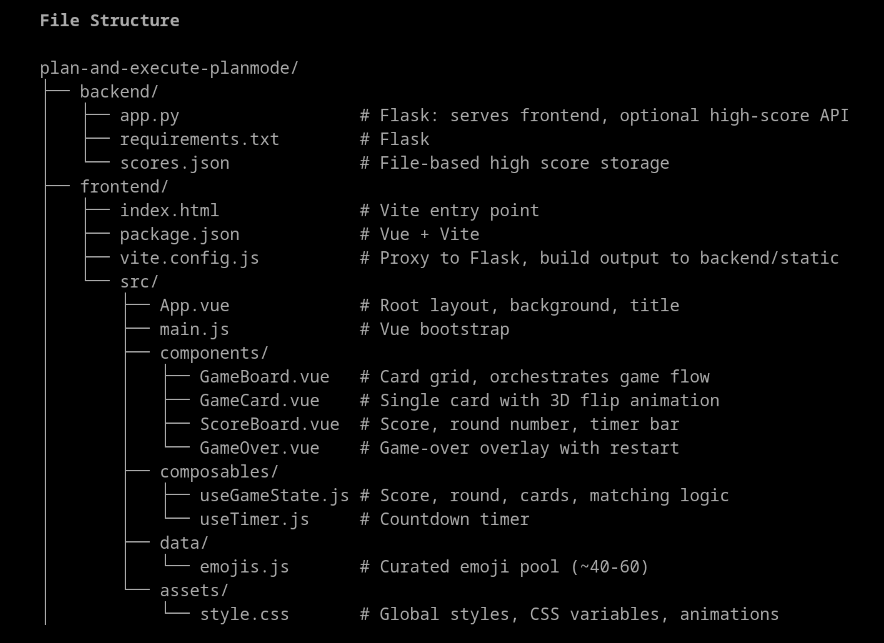
This is the file structure of the completed project. I believe I founded 16 files, compared to 25 with the Execution Mode version above.
And these are the outputs of the plan mode, describing all of the decisions that were made.
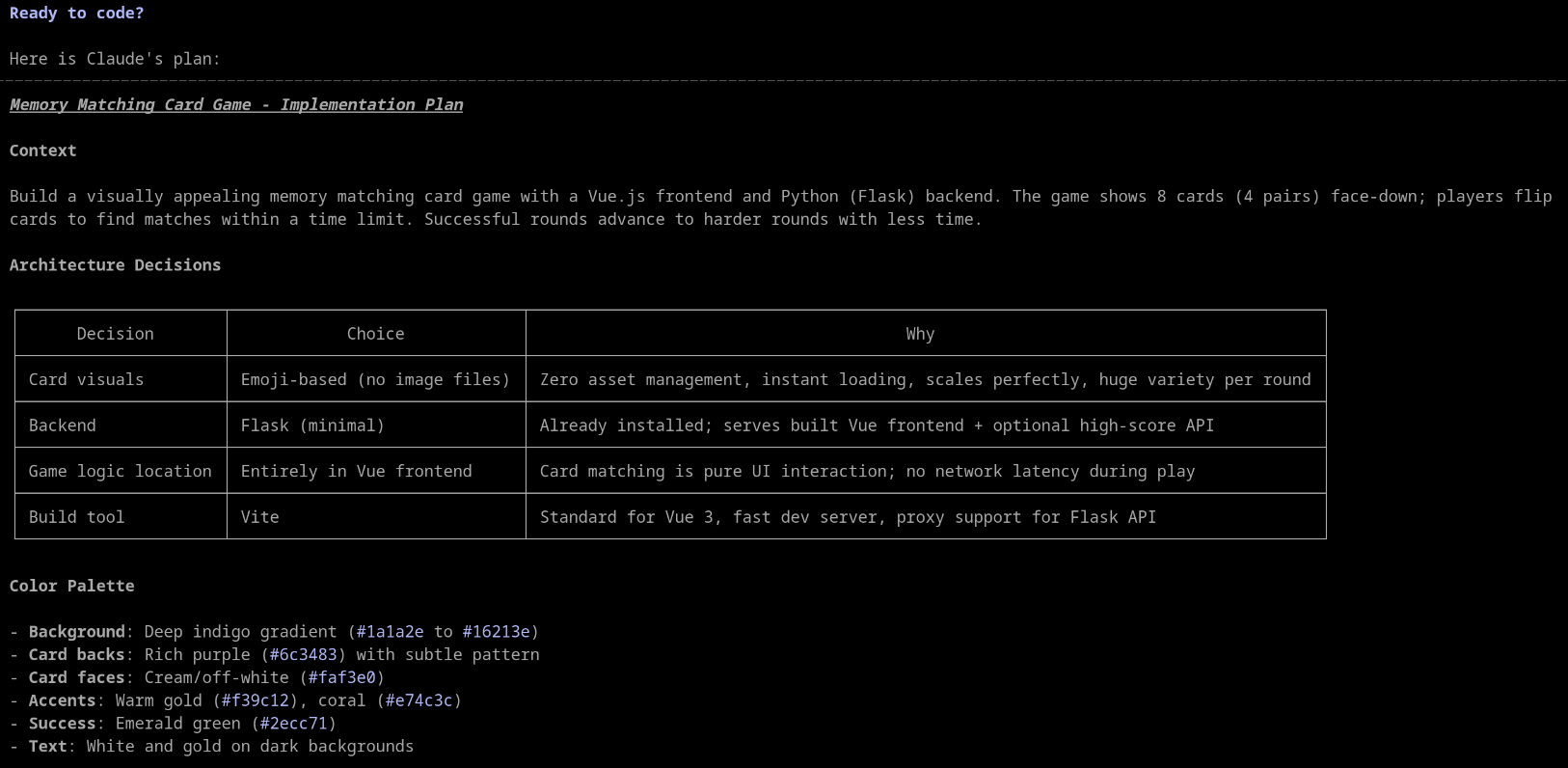
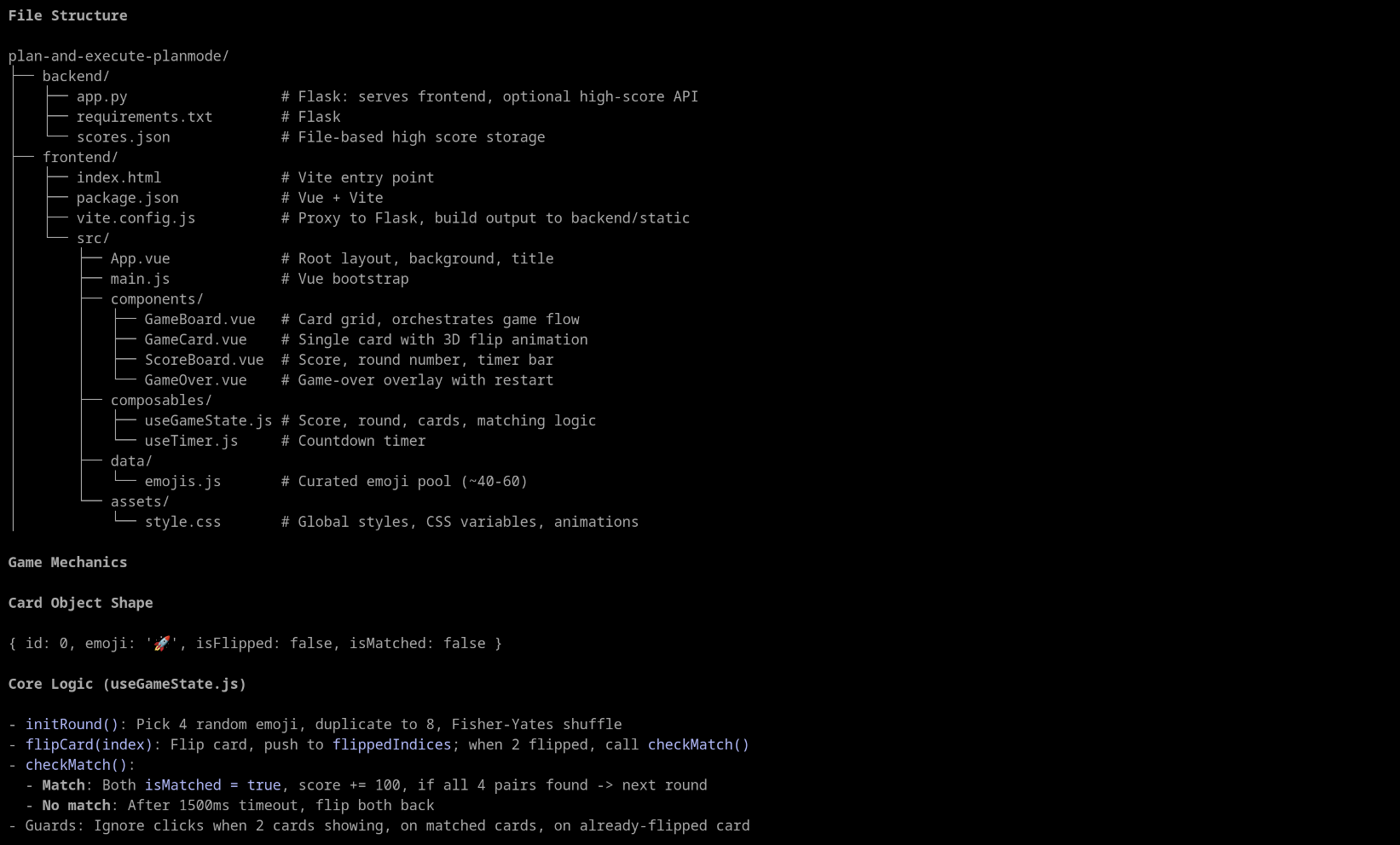
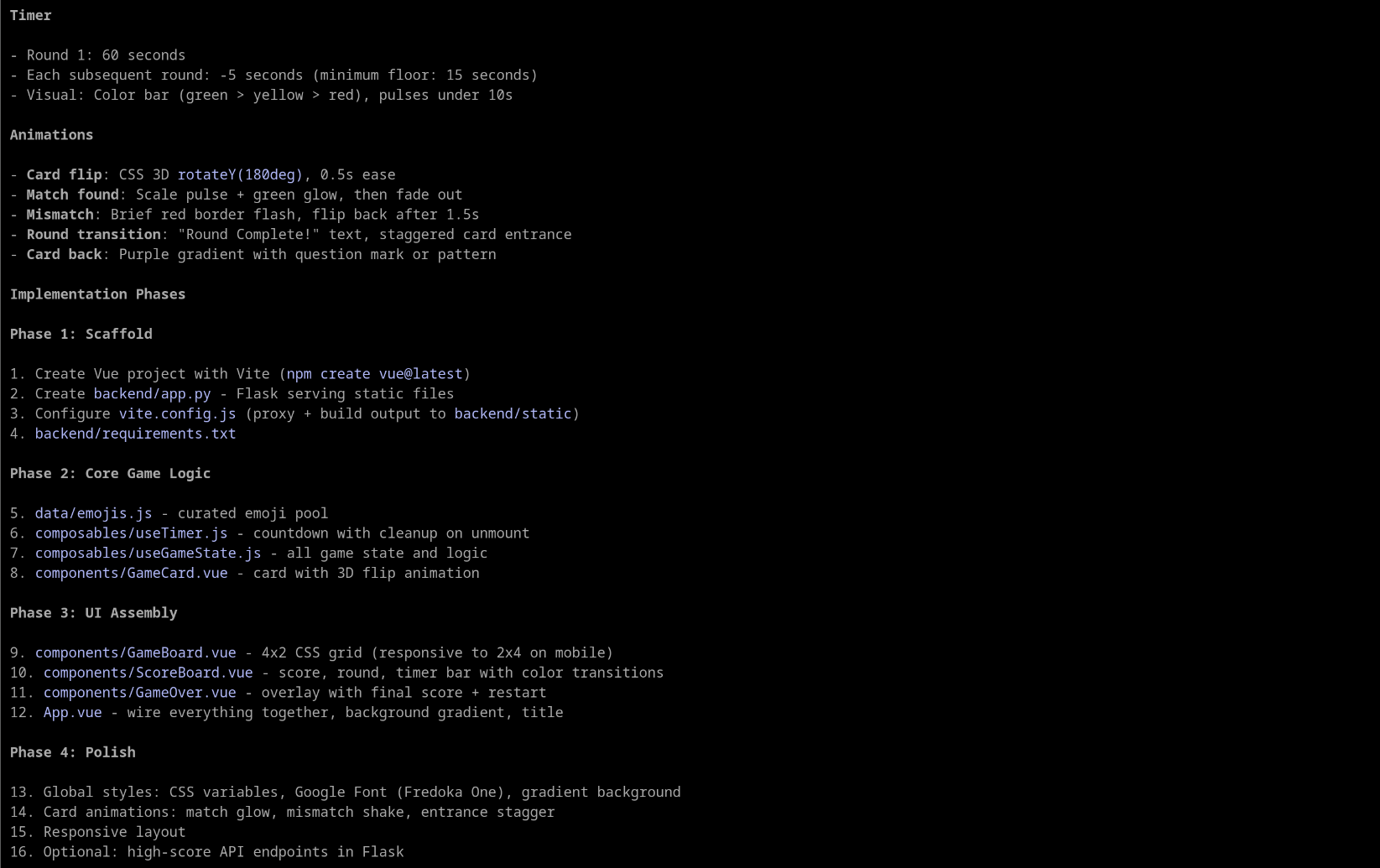
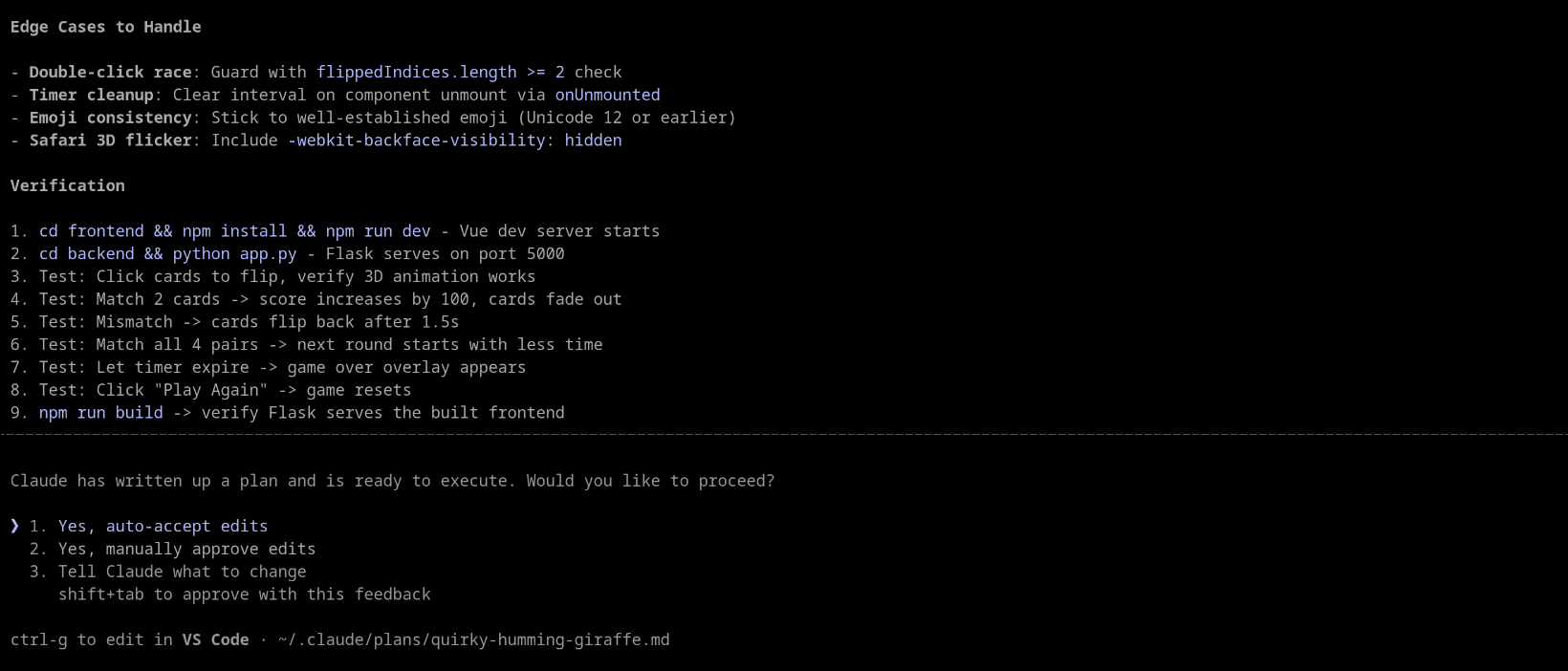
And at the end, after you've had the opportunity to review the plan, you're able to made changes or accept it.
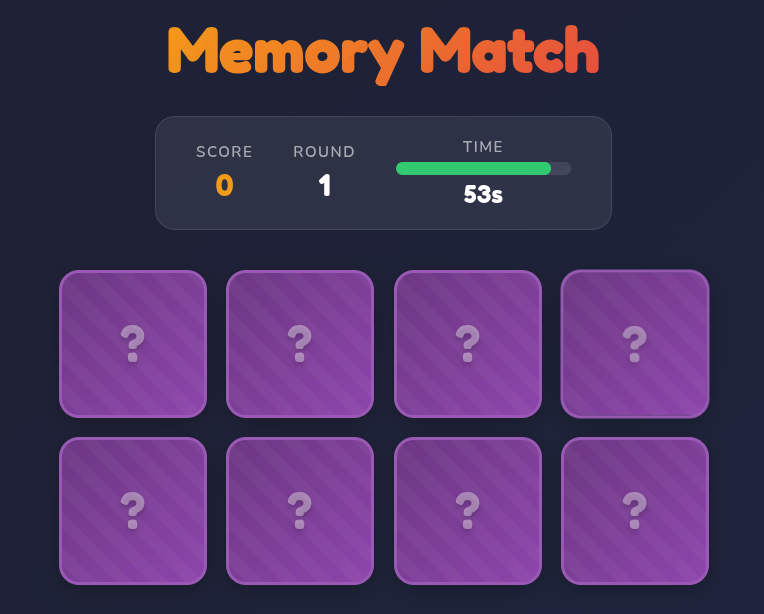
Having looked at the outputs of both the Plan and Execution Modes, you can see that the Plan Mode option resulted in a game that looked very much like the one created in Execution Mode. However, you'll also notice that a significantly smaller number of files were created in the project (25 vs 16), and, unlike Execution Mode, Plan Mode told you everything it was going to do beforehand, and you were given an option to make changes or accept the defaults.
I hope this has given you a better look at how Plan Mode works in contrast to Execution Mode, and you'll use it next time you have a project that's going to be complex, need architecture, or will be creating or updating a number of different files.
Preparing for the CCA exam? Start with our overview: What Is Anthropic's Claude Certified Architect Exam?